
Open the status controls
On desktop, the status controls stay in the left sidebar. On mobile, open the menu button in the upper-left corner. Status changes are shared across the account.
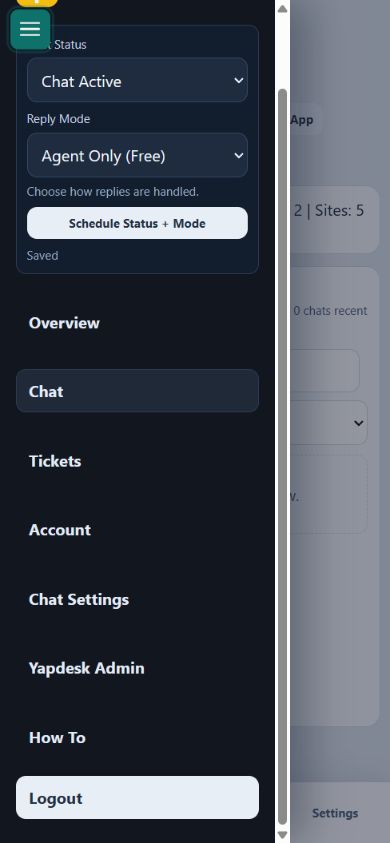
Use Chat Active for live coverage
Choose Chat Active while an agent is ready to answer. With Agent Only selected, visitor messages wait for a human response. This core live-chat mode is included on Free.
Use Message when the team is away
Choose Message to replace the live expectation with a message form. Visitors can leave their question and contact details for follow-up. Customize the message-mode launcher and explanatory text under Chat Settings.
Use Chat Off when no contact option should show
Choose Chat Off when the widget should not accept live chats or messages. Check an actual public page after changing this setting, especially when a cache or CDN is active.
Choose the reply mode
Agent Only is available for normal human support. AI Only and Hybrid AI + Agent are Pro AI features. Hybrid lets AI answer first while a human can take over. Save business hours under Schedule Status + Mode on Pro or Pro AI.