Add Yapdesk to WordPress or any website. Chat with visitors in real time, switch to message mode when you are away, and keep the core chat free forever.
No WordPress? No problem. Get a script for any site.
Free
$0 forever
Live chat and ticket mode
1 connected website
1 agent seat
Image, PDF, and ZIP attachments up to 2 MB
Yapdesk branding
Pro
$4.99 USD/mo or $49.90 USD/yr
Remove branding
Up to 5 connected websites
See visitor typing text
Up to 3 agents
Attachments up to 25 MB
Schedule chat status by business hours
Pro AI
$16.99 USD/mo or $189 USD/yr
All Pro features
Up to 5 connected websites
AI replies + hybrid mode
Website scrape + brain file context
Best for after-hours leads and instant FAQs
How Yapdesk Works
It is really simple: add the widget, answer from your dashboard, and let message mode create tickets when nobody is live.
Visitors message you
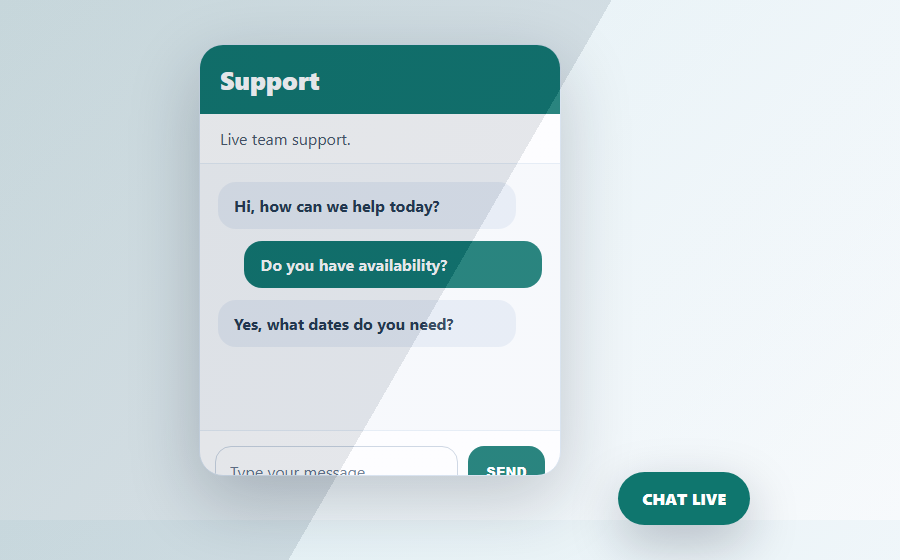
A clean chat bubble opens on any website, desktop or mobile.
You reply in Yapdesk
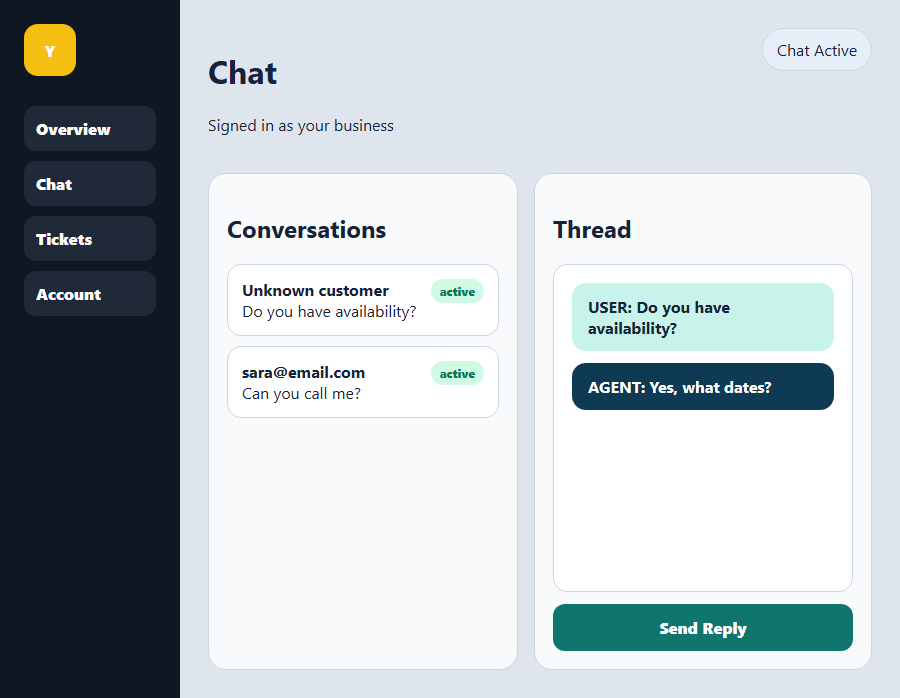
Live chats, tickets, status, alerts, and agents stay in one dashboard.
Setup is simple
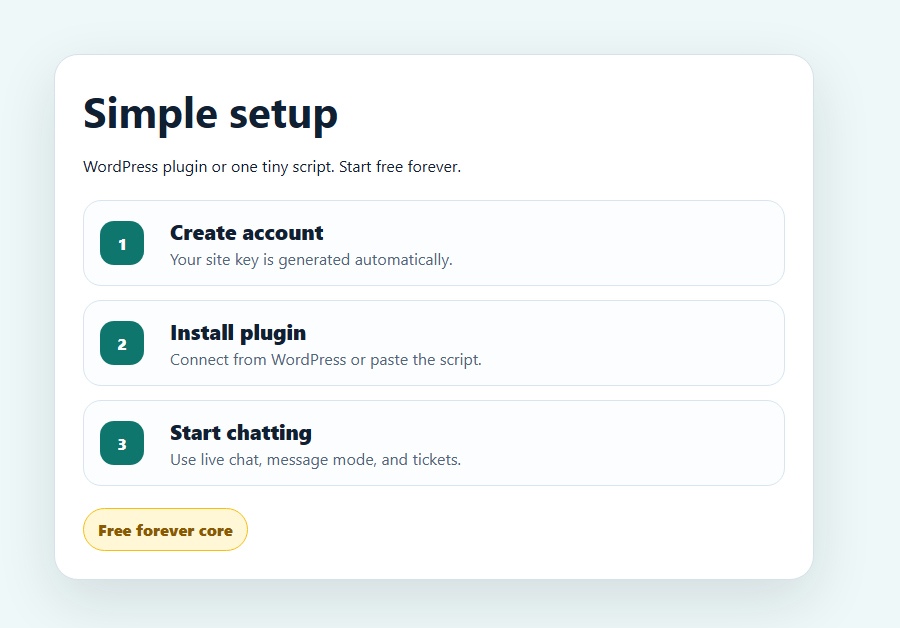
WordPress plugin or one script. Free forever core chat.
AI
Scrape your website
Add your brain file
Answer visitors instantly
AI replies with your business brain
Pro AI can read your website, offers, FAQs, policies, tone, and custom brain text so visitors get helpful answers even when your team is busy or offline.
Use Yapdesk Like an App on Desktop, iPhone, or Android
Install the Yapdesk dashboard on your device so live chats feel close by. Open the dashboard, sign in once, then use the Install App button and follow the instructions for your device.
1
Open the dashboardGo to app.yapdesk.com on your laptop, desktop, iPhone, iPad, or Android phone.
2
Log in to YapdeskUse your Yapdesk account. Your session stays saved so you can jump back into chats quickly.
3
Click Install AppDesktop/Android: use the Install App button. iPhone/iPad: open in Safari, tap Share, then Add to Home Screen.
Desktop appLaptop appiOS home screenAndroid installPush alerts
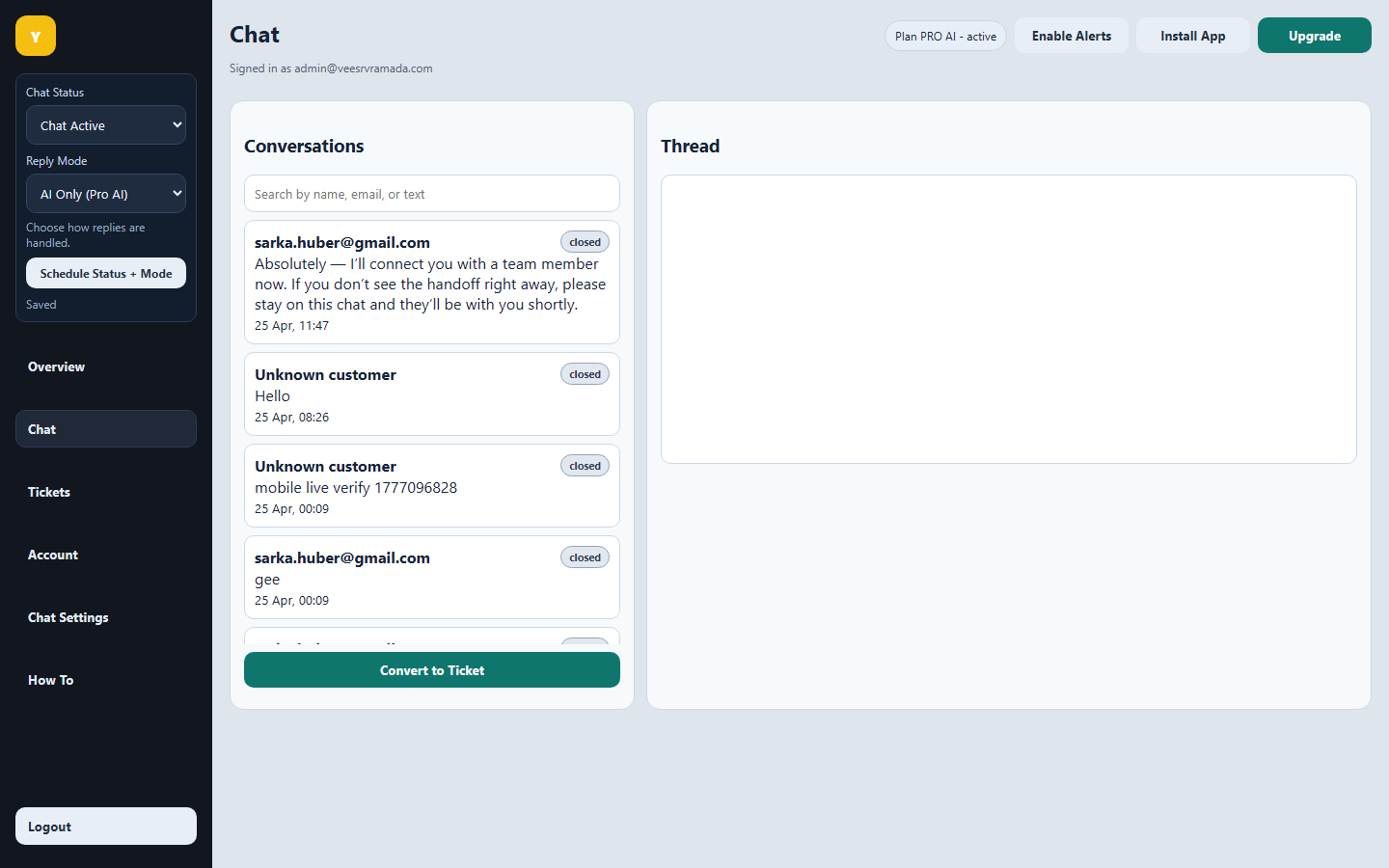
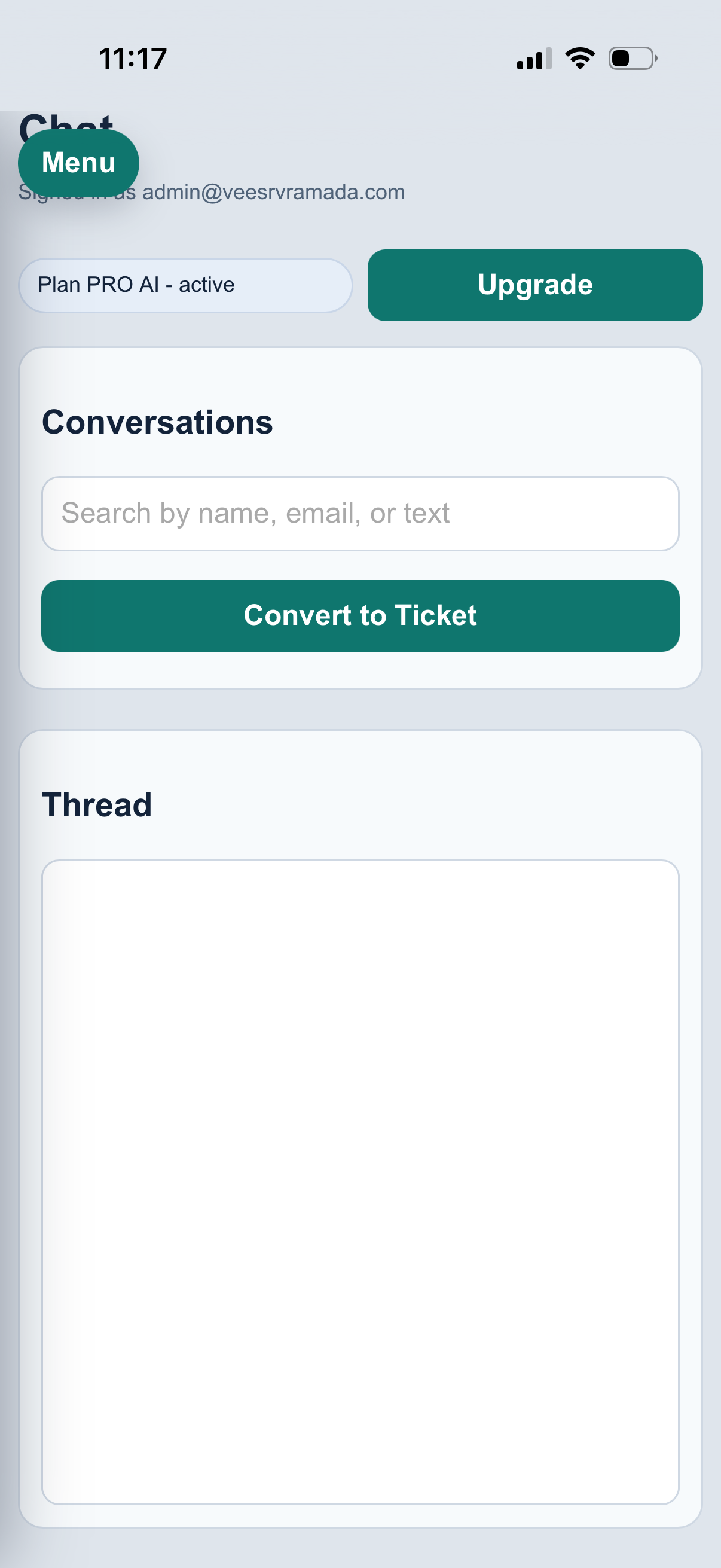
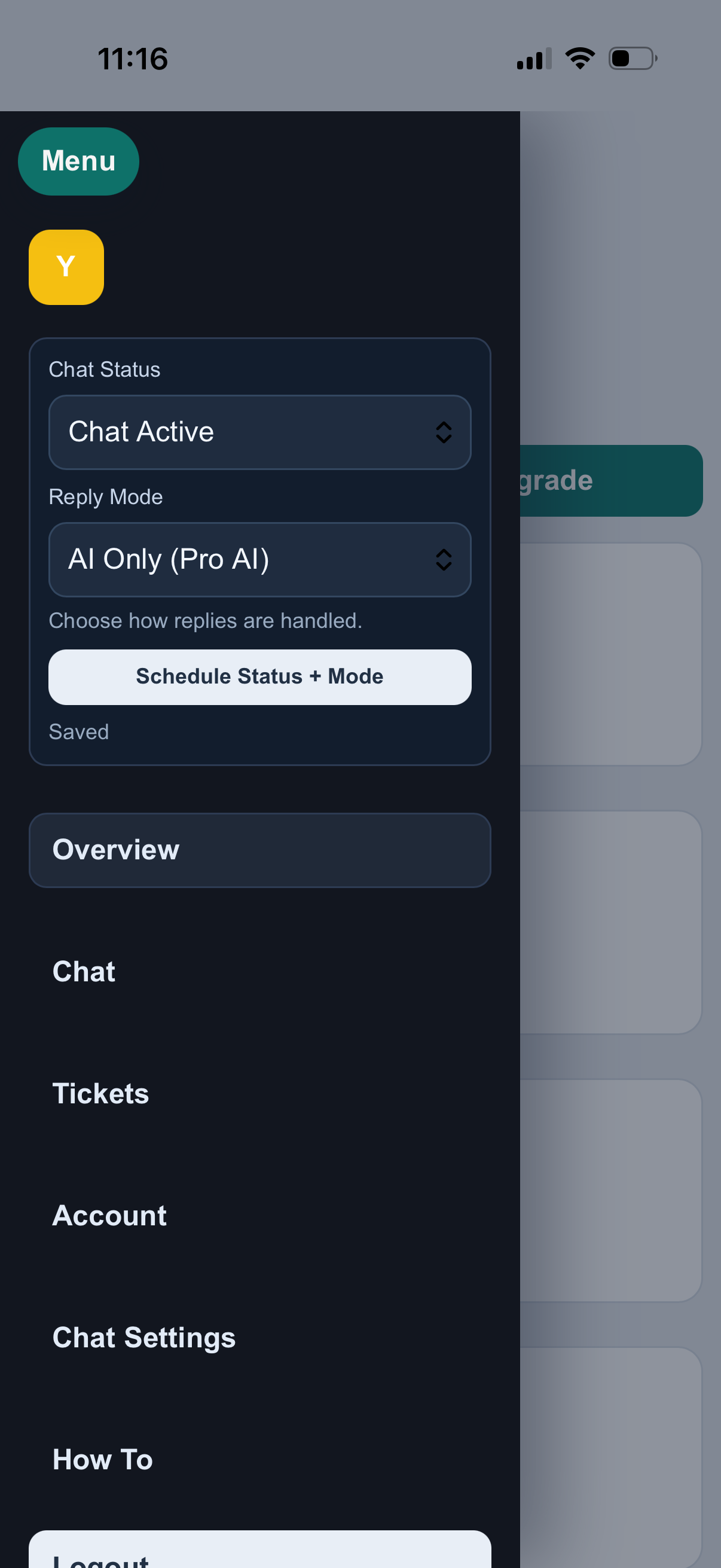
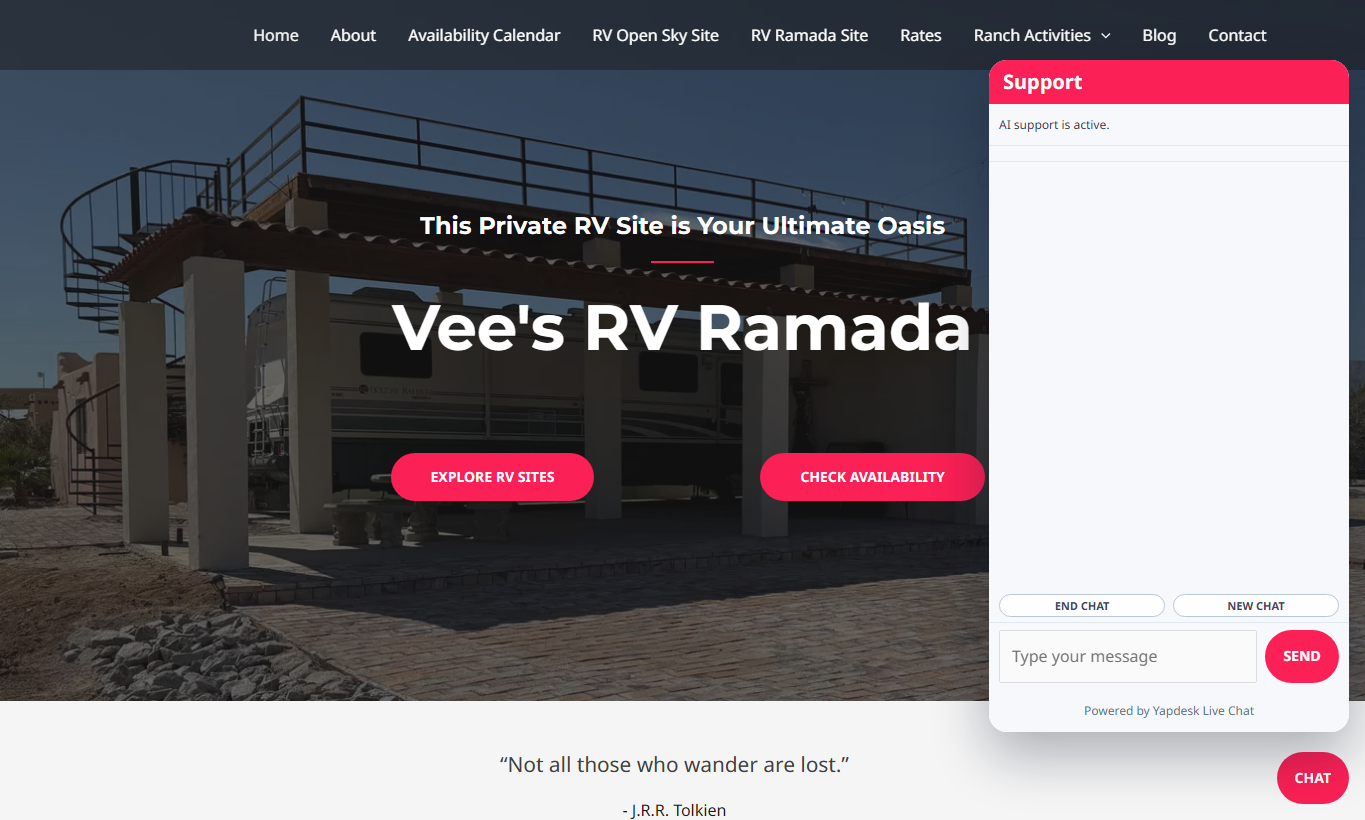
Desktop/laptop dashboardReply to chats, manage tickets, and change status from one screen.Mobile chat viewOpen chats, reply from your phone, and keep Yapdesk close for alerts.Mobile controlsChange chat status, reply mode, tickets, account, and settings from the mobile menu.Visitor website widgetThe same widget works on WordPress or any website with the script.
AI Chat That Learns Your Business
Pro AI gives your chat a helpful business brain. Feed it your website, FAQs, services, prices, policies, tone, and special instructions so it can answer visitors instantly, even when you are busy or offline.
1
Scrape your websiteYapdesk can read the pages you choose so the AI understands what you offer, where you are, and how customers should take the next step.
2
Add your brain filePaste custom knowledge like booking rules, prices, return policies, FAQs, promotions, and the exact tone you want the AI to use.
3
Let AI answer, then hand offUse AI-only or hybrid mode. If a human replies, the agent takes over. If nobody is available, Yapdesk can capture the follow-up as a ticket.
Pro AI WorkflowBusiness brain active
Website contextServices, pages, locations, product details, hours, and calls to action.
Brain fileFAQs, prices, policies, offers, voice, and rules your team wants followed.
Do you have availability next weekend?
I can help with that. What dates are you looking for, and do you need full hookup or a simpler site?
Friday to Sunday, full hookup.
Great. Based on your booking rules, I’ll collect the details and create a follow-up if the team needs to confirm availability.
Practical support guides from Yapdesk
Learn how to improve WordPress live chat, customer support, WooCommerce conversations, and Pro AI workflows.
 Yapdesk
 Yapdesk stays close
Install once, answer chats wherever customers find you.
Yapdesk stays close
Install once, answer chats wherever customers find you.