
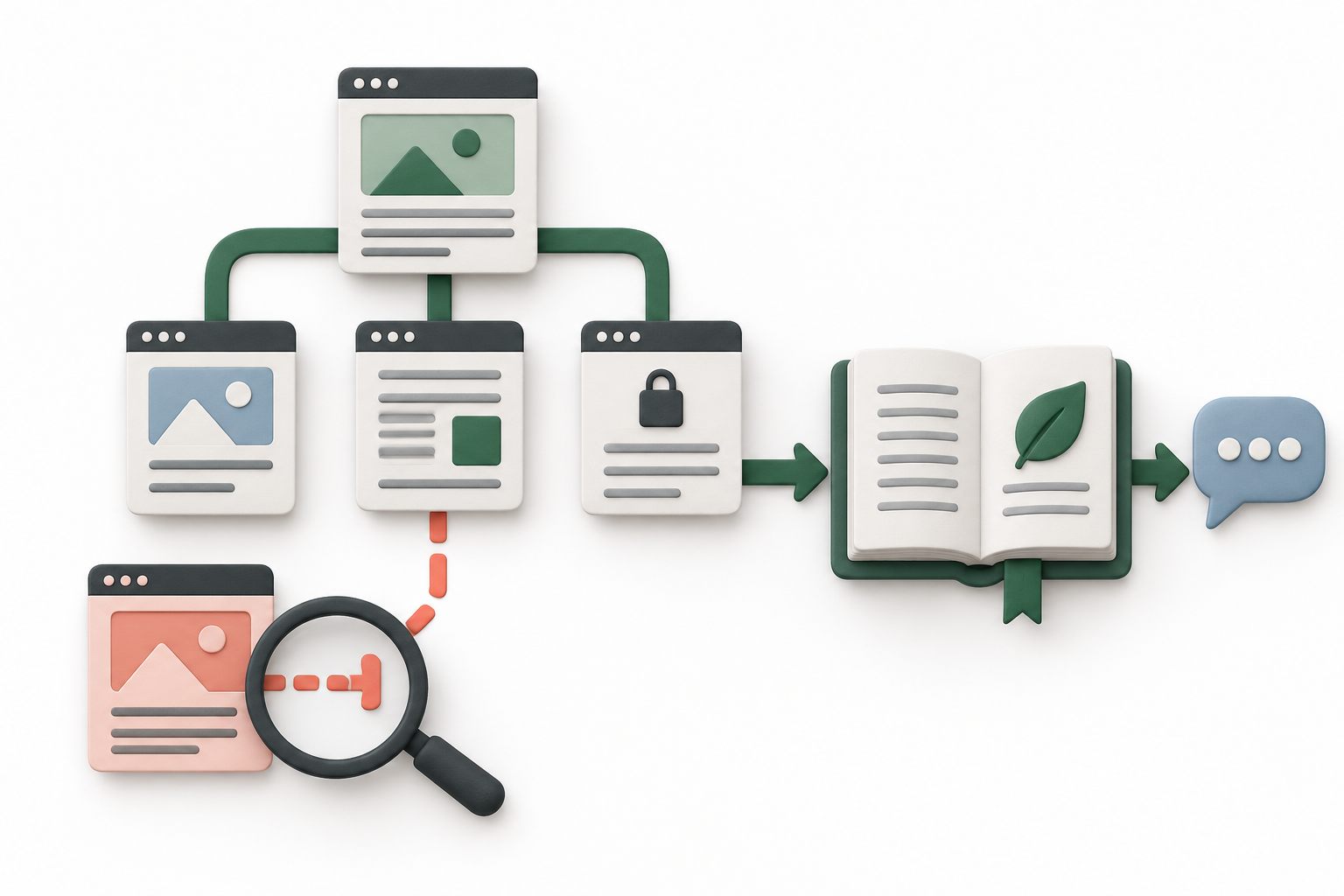
Separate missing knowledge from an incorrect answer
Start with one question the assistant answered badly and the exact business fact it should have used. For example, the customer asked about Saturday hours, but the assistant could not find them. Locate the current, approved hours on your website, then look for the same information in the imported website text. Do not assume that an import success message proves every relevant fact was included.
If the fact is absent, investigate the source and import coverage. If it is present but the answer contradicts it, check the business instructions, conflicting information, and the question's wording. Those are different problems. Reimporting the same pages repeatedly will not resolve a contradictory rule that still tells the assistant to use old hours.
Website importing, AI replies, and hybrid replies are Pro AI features. Yapdesk's core human live chat and message mode remain free with Yapdesk branding. You can keep a human support route available while you investigate knowledge quality.
Read the import report before assuming the whole site was read
In Chat Settings, select the intended website and open AI knowledge and instructions (Pro AI). Review Imported website text and its source report. The current importer accepts up to eight pages and shares a 12,000-character text budget across them, including source labels. These are limits, not a promise that eight complete pages will be stored.
The report shows the import time, included source pages, and whether a page is an excerpt. A partial snapshot notice can mean more URLs remained to visit or that text was shortened. Skipped-page details can help explain attempted URLs that failed. A page that was never discovered may not appear among the skipped URLs at all.
Compare the report with a short list of essential sources: contact details, services, pricing conditions, shipping, and current policies. Count useful facts, not just pages. A long homepage can consume its share of the text budget before reaching an important section near the bottom.
Check links and the starting address
Yapdesk begins with the address you enter and discovers ordinary links in the returned page HTML. It prioritizes support-related paths such as contact, services, FAQs, pricing, and policies over blog or news paths. It does not promise to discover every page listed in your XML sitemap.
The current crawler stays on the same hostname, treating www and non-www versions as the same site. A separate help subdomain is not automatically part of that crawl. Discovered links with query strings and common account, cart, checkout, or login paths are filtered out. File links such as PDFs and images are not a substitute for readable website pages.
Choose a public starting page that links clearly to the support information you actually need. A concise help index can be more useful than a promotional homepage. Before trying a different address, keep an approved copy of any knowledge you need to preserve: a successful new import replaces the previous website snapshot; it does not append another website to it.
Check whether the text depends on JavaScript or pictures
The current Yapdesk importer downloads HTML or plain text and extracts readable content without running a browser's JavaScript. That matters when a page initially contains an empty shell and fills its product information later. MDN distinguishes server-rendered HTML from content generated by JavaScript on the client; what you see after a page loads may not be in the original response.
Ask your website maintainer whether the needed facts are available in the initial HTML. The importer prefers the main content area and removes navigation, headers, footers, forms, scripts, and explicitly hidden elements. Hours shown only in a footer or a price printed inside an image may therefore be missing even though a visitor can see them.
The practical fix is often a concise, approved text version in the page's main content or in Yapdesk's business knowledge field. Do not assume PDF extraction, image reading, or opening interactive tabs is part of this importer. Avoid rebuilding the whole website merely to work around one missing paragraph.
Sources: MDN: Server-side rendering and client-generated content
Investigate blocked pages without exposing private content
A page that opens in your signed-in browser may require a login or a cookie the importer does not have. Start by checking the intended public page while signed out. Yapdesk accepts public HTTP or HTTPS addresses without embedded login details or custom ports, and rejects private network destinations.
The crawler checks robots.txt for YapdeskBot. If a page is disallowed, or robots.txt cannot be checked for reasons other than a missing-file response, the import may skip the page or fail. A website protection challenge, unsuccessful HTTP response, excessive redirects, or timeout can also prevent useful text from arriving.
Ask the site maintainer to review the specific public URL and reported error. Do not disable protection across the site, expose customer records, or paste credentials into the import address. If access should stay restricted, use a short approved customer-facing summary in business knowledge instead.
Google's robots.txt guidance explains that crawl rules are not a security mechanism and are not supported identically by every crawler. Keep private content protected by actual access controls. Google's ability to discover or index a page does not demonstrate what Yapdesk imported.
Sources: Google Search Central: robots.txt uses and limitations
Add the missing business fact in the right place
Business knowledge and instructions is separate from Imported website text. Use it for concise, approved facts and rules that need clearer wording or are absent from the snapshot. The current field allows 8,000 characters, and its instructions take priority over imported website text. Imported text is displayed read-only in the dashboard.
Write the complete rule, including its boundary. Instead of 'delivery available,' state the approved service area and what requires staff confirmation. Include the effective date when a policy changes and remove the superseded rule. Never use this field for passwords, private customer records, or information the assistant must keep secret from visitors.
Save settings after editing business knowledge. A successful Import website action saves the website snapshot immediately, but it does not save unrelated form edits. If an import fails, the existing website knowledge is kept; do not mistake that old text for a successful refresh.
Sources: Yapdesk support: Configure Pro AI and human handoff
Retest the exact gap, then verify the public widget
After reviewing and saving the content, test one direct question and one natural variation in Live Widget Preview. For Saturday hours, also ask whether an appointment is required if that is a relevant policy. The expected answer must come from your approved facts, not from a plausible guess.
Then start a clearly labeled fresh test conversation through the public widget. Check that the correct website and intended reply mode are active. Preview is useful for answer checks, but it does not prove that the live site's saved configuration, visitor messages, and human follow-up all work.
Do not use a successful general answer as evidence of live account access. Importing a shipping policy does not connect the assistant to order tracking. Importing a product description does not provide current inventory. Keep requests that require those systems with an authorized person unless a real integration supplies the data.
Sources: AI chatbot testing checklist
Keep a small record of each knowledge refresh
Record the import date, starting URL, missing facts added manually, and the questions you retested. Repeat the review when relevant hours, services, prices, or policies change. Website knowledge is a saved snapshot; changing your website alone is not proof that the assistant now has the new wording.
For a new installation, first connect the official WordPress plugin and confirm a basic human conversation works. Then configure Pro AI with a few verified sources. A small knowledge set whose limits you understand is more useful than a long import nobody has checked.
Sources: Install Yapdesk on WordPress · Official Yapdesk Live Chat plugin on WordPress.org
Start with free live chat
Add Yapdesk to WordPress, answer visitors from one inbox, and use message mode when your team is away. Pro AI is available when you want an AI assistant trained on your business.